

2.1. Presentation of the NewsEye Platform
2.1.2. The search result page
After typing the "Enter" key on your keyboard or clicking the "Go" button, your search results will appear. There are several distinct elements on this page.
A. Results list
After a search, you are presented with a list of results relevant to the query in the search bar. By default, these results are ordered according to a relevancy score computed by the system. This score depends on the size of the documents and the number of matches with the query's keywords. If the score computation is quite complex, we can sum it up by saying that short documents with many matches with query keywords are deemed the most relevant by the system.
You cannot only select the number of documents displayed by page but can also modify their sorting order from the default one to an order by publication date instead. The associated metadata are displayed for each result in the list, along with a snippet image and the keywords of your query in context.
B. Dates distribution
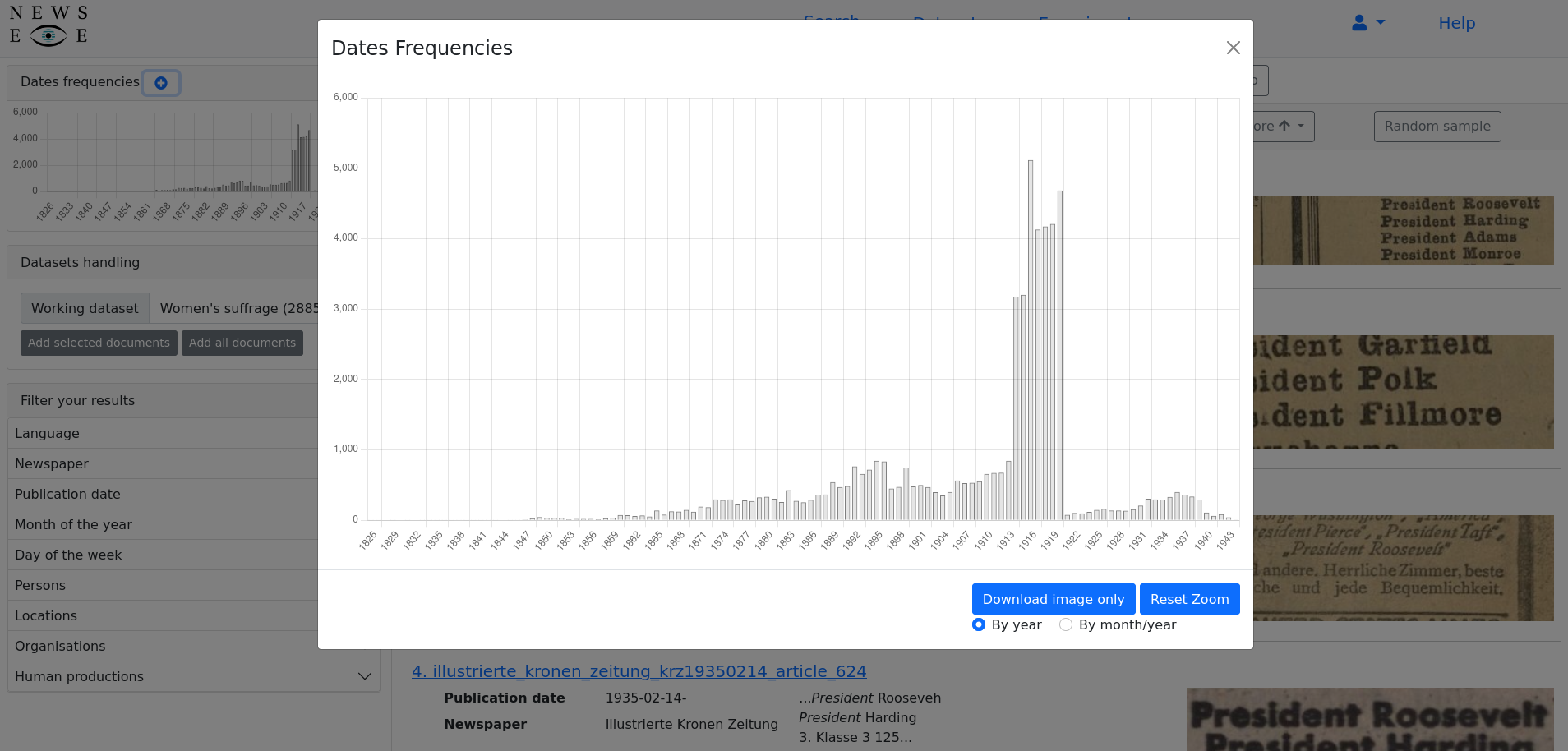
Another piece of information displayed on the search results page is the date histogram in the upper-left corner of the page. This histogram presents an overview of the distribution of the publication dates of the resulting documents. Such visualisation can be useful for a quick overview of the documents returned by the system, allowing you to identify interesting periods towards the query regarding the documents available in the collection.
C. Random Sample
To get a quick glimpse of the returned results, click on the "Random sample" button. A pop-up will then appear, showing ten documents chosen at random from the results list. This feature is useful in evaluating if the query entered matches the requirements of the search problem to solve.
D. Metadata filtering
After a query is entered in the platform's search bar, you can further refine the results using various filters based on the metadata. These filters are called "facets" in the user interface context. First, users can filter the returned documents by language. Because the collection available on the platform is multi-lingual, some query terms are often associated with documents in various languages. Suppose this is especially true for search keywords such as person or place names. In that case, some OCR errors can also be responsible for false positives in the list of documents returned after a search.
Then, three facets are available from the date metadata associated with the collection documents. Using a date picker, you can filter results according to a range of dates. It is also possible to select documents produced during a particular month of the year (for example, get all documents published in March of any year) or during a specific day of the week (for example, get all documents published on a Saturday).
It is also possible to select documents coming from a particular newspaper. This facet can be useful if the research question the user is interested in is linked to a specific newspaper's specific view or to compare how different newspapers treat a particular subject.
Finally, it is possible to filter documents because they mention named entities linked to a knowledge base.
E. Datasets content
From this page, you also can manage the content of your datasets. These will be described in further detail later.