

2.2 The #dariahTeach Environment
2.2.2 Moodle & H5P
 |
Choosing Moodle
A significant part of the work conducted for defining and implementing the appropriate host platform for #dariahTeach concerned the definition of user and design requirements and the evaluation of existing software solutions. These requirements voted, among other, for:
- Web-based platform;
- Responsive design;
- Reuse of both technology and learning materials;
- “Lib-to-lab” process (from static library-like presentation of objects to activity-process-centered view);
- User workspace and personalisation;
- Diversity of learning objects;
- Multilingual functionalities;
- Interactive features.
This evaluative process led to adopting Moodle as a free and widely used open-source software learning management system. Moodle meets most of these design and functional goals, while offering enough flexibility and plugins to personalise it according to individual requirements. Moreover, major effort was invested into the experimentation and optimisation of the user interface with respect to usability in multiple iterations, including feedback rounds with test users. #dariahTeach worked towards this direction by interviewing instructors on aspects such as design, features and implementation of the platform, content, structure, level of complexity and length of the courses.
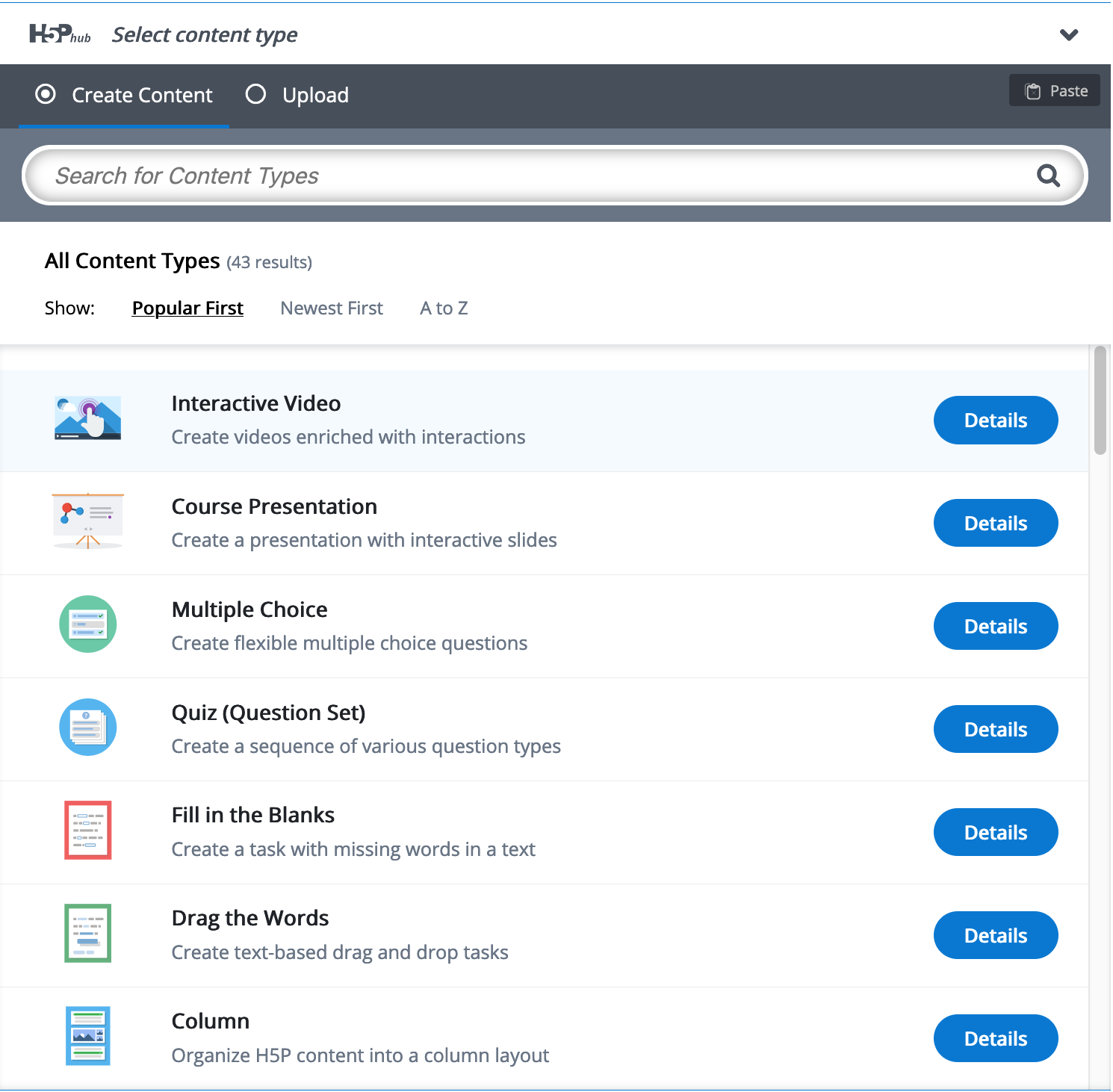 |
| H5P features Click image to enlarge. |
H5P- creating interactive content
H5P is an open-source, web-based software application that allows users to create, edit, and share interactive content for HTML5 publishing platforms. #dariahTeach has opted for H5P as it can be integrated with Moodle. Course developers and editors can create interactive content with H5P through a web browser, thereby facilitating the use and re-use of interactive and engaging content without having to download additional software.
With H5P, course developers can create various knowledge assessments, embed presentations, and upload interactive videos and images, to name a few. It facilitates the creation of a multimodal learning environment. The H5P website offers extensive guides and walk-throughs on how to use the different features. The following units will provide step-by-step instructions on how to embed H5P on Moodle.