

4.3. Multimodality
4.3.2 Multilingualism and Subtitles
 |
As suggested in the introduction, #dariahTeach opts, among other, for multilingual courses and content. In order to reach new audiences, #dariahTeach encourages the addition of new multilingual course contributions, or translations of existing courses in different languages.
“I think that is very important because there is a huge gap in Europe between the so-called ‘lesser resource’ languages and those that are in a more fortunate position such as English, German and French and the big languages. And we really want to make sure that dariahTeach is a place where smaller languages and smaller cultures can be represented. That is the whole point of being part of Europe, celebrating this type of diversity.” -Toma Tasovac, Belgrade Center for Digital Humanities
#dariahTeach courses are currently in English while French, Serbian, Hungarian and Greek versions are provided for some of the courses and workshops. This is ongoing work for providing more languages, either in translations or subtitles, in order to cover the needs of learners in their individual languages.
Tips for translating courses:
-
The appointed translator should not only be fluent in English and the selected language but should also be familiar with the topic and terminology of the course.
-
The examples or resources provided are contextual information. These should be modified according to the context of the new language.
Adding and translating subtitles to #dariahTeach videos
In case you want to add new subtitles in a #dariahTeach video, YouTube offers the possibility to edit the subtitles it automatically generates and add subtitles in different languages.
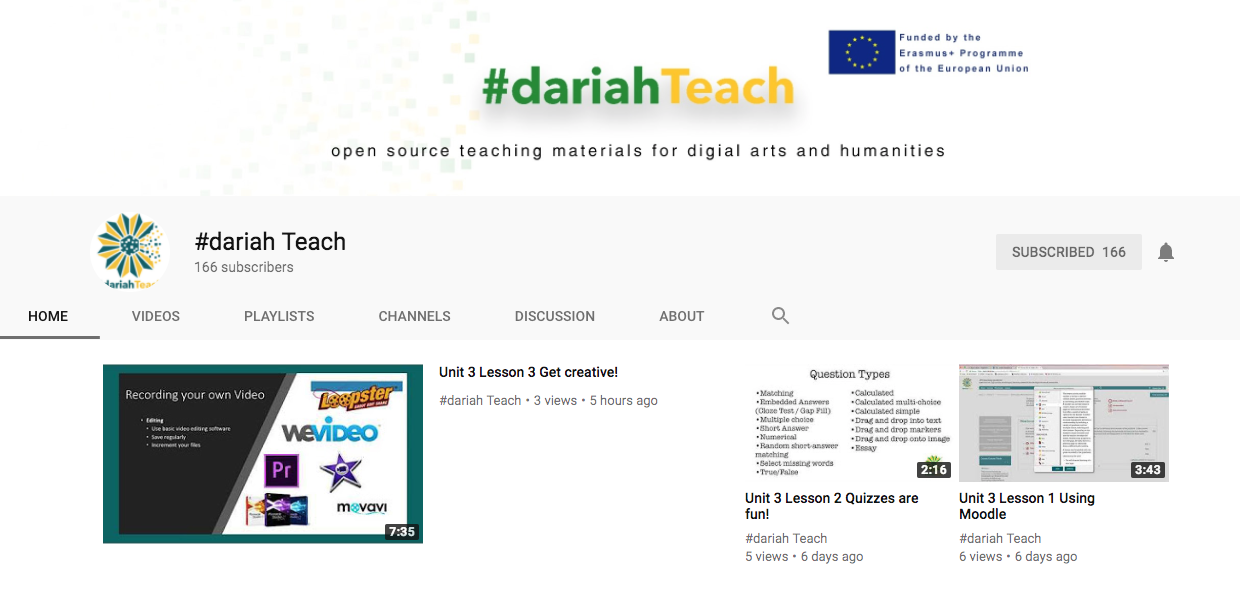
Step 1. Log in the #dariahTeach YouTube channel after receiving access from the #dariahTeach team. Select the video you would like to edit or add subtitles.
 |
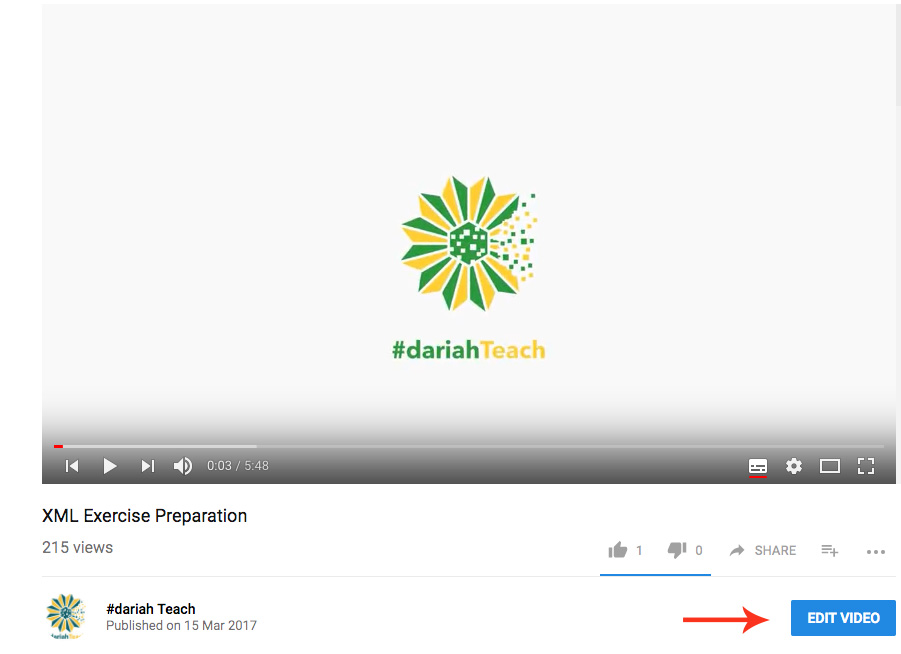
Step 2. Select Edit Video.
 |
Step 3. Navigate to Subtitles/CC.
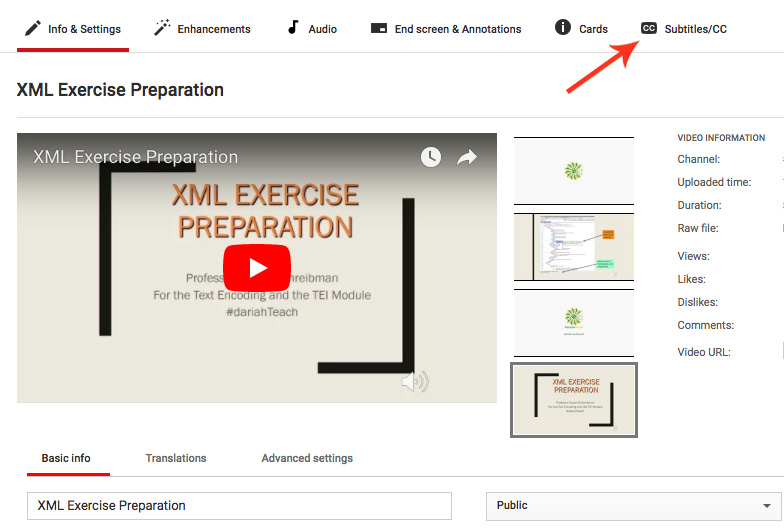 |
Step 4. There you can see that you can work on adding or editing existing subtitles. Make sure you save your work and publish the new subtitles when you are done.
|